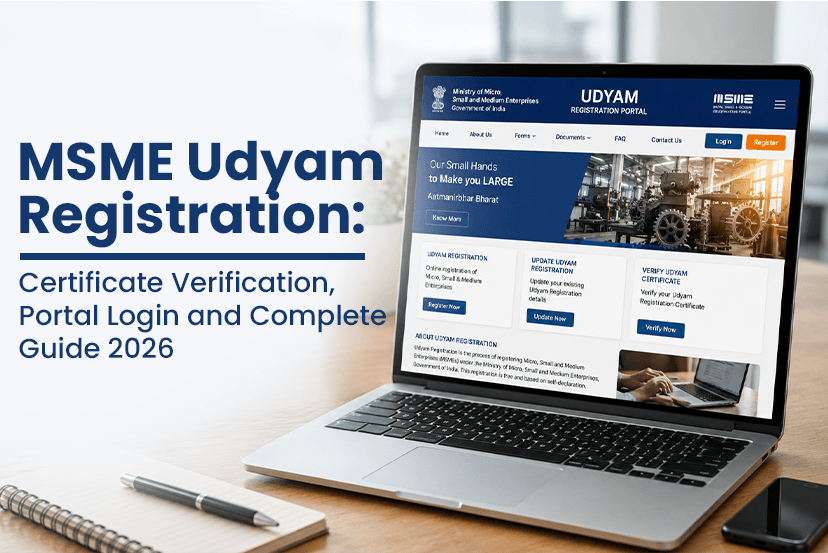
Starting or running a Micro, Small, or Medium Enterprise (MSME) in India has now become much easier with the introduction of the MSME Udyam Registration System. Whether you are a manufacturer, trader, service provider, startup, freelancer or small business owner, it is really crucial for you to get the Udyam Registration, as it helps you access government schemes, financial assistance, priority lending, tender benefits and several other advantages.
But many business owners often struggle with questions like how to verify Udyam registration, how to download the Udyam certificate, and more such confusion. Well, in this guide, we have covered everything about MSME Udyam registration, requirements, and so many others. So lets get into it!
What is MSME Udyam Registration?
MSME Udyam Registration is the official online registration system introduced by the Ministry of Micro, Small and Medium Enterprises (MSMEs), Government of India. It offers a unique identification number and digital certificate to eligible businesses operating in India.
The registration is completely online and paperless. Once your application is successfully verified using Aadhaar and PAN details, your enterprise receives a permanent Udyam Registration Number (URN) along with the MSME Udyam Certificate.
For more details: https://www.tendershark.com/blogs/how-udyam-registration-helps-in-tender-approval-complete-msme-guide
Why is Udyam Registration Important?
Although Udyam Registration is not mandatory for every business, but registering as an MSME can offer several financial and operational advantages-
- Easier access to collateral-free loans
- Priority sector lending from banks
- Eligibility for government subsidy schemes
- Protection against delayed payments
- Preference in government tenders
- Lower trademark and patent registration fees
- Participation in various MSME development programs
- Access to credit guarantee schemes
Many government departments and PSUs also provide procurement preferences to registered MSMEs during tender participation.
Who Can Apply for Udyam Registration?
Well, any eligible enterprise who engaged in manufacturing, trading or service activities can apply for Udyam registration. So here are the eligible applicants:
- Proprietorship firms
- Partnership firms
- Private Limited Companies
- LLPs
- One Person Companies (OPC)
- Hindu Undivided Family (HUF)
- Co-operative Societies
- Self-employed professionals
- Retail and wholesale traders
- Startups
The business should satisfy the MSME investment and turnover criteria prescribed by the Government of India.
MSME Classification Under Udyam Registration
Businesses are classified into three categories based on investment in plant and machinery or equipment and annual turnover.
| Enterprise Type | Investment Limit | Annual Turnover |
| Micro Enterprise | Up to ₹2.5 Crore | Up to ₹10 Crore |
| Small Enterprise | Up to ₹25 Crore | Up to ₹100 Crore |
| Medium Enterprise | Up to ₹125 Crore | Up to ₹500 Crore |
The government automatically calculates these details using PAN and GST records, reducing manual documentation.
What Are The Documents Required for Udyam Registration?
There are a few documents required for Udyam Registration, which usually include-
- Aadhaar Number of the proprietor or authorized signatory
- PAN Card
- GSTIN (where applicable)
- Business address
- Bank account details
- Mobile number linked with Aadhaar
- Email ID
Most business information is automatically fetched from government databases.
How to Register on the Udyam Registration Portal?
By following the below mentioned steps, you can successfully register on Udyam Registration Portal-
Step 1: Visit the Udyam Registration Portal
Open the official Udyam Registration Portal or directly click on the link https://www.udyamregistration.gov.in/
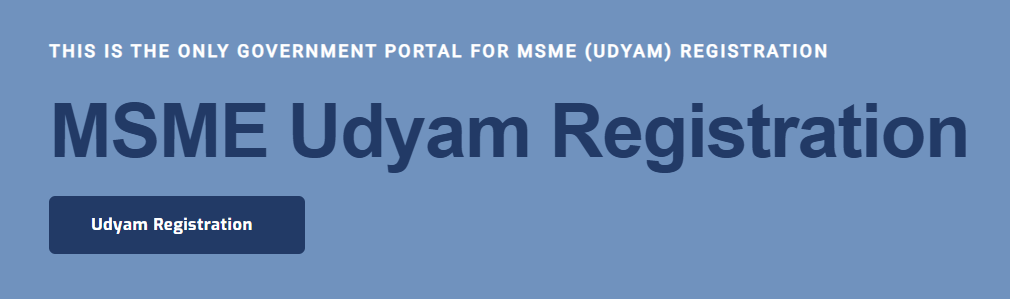
Step 2: Select New Registration
Click on the MSME “Udyam Registration.”
Step 3: Enter Aadhaar Details
Provide the “Aadhaar Number” and the “Name of the Entrepreneur” exactly as mentioned in Aadhaar.
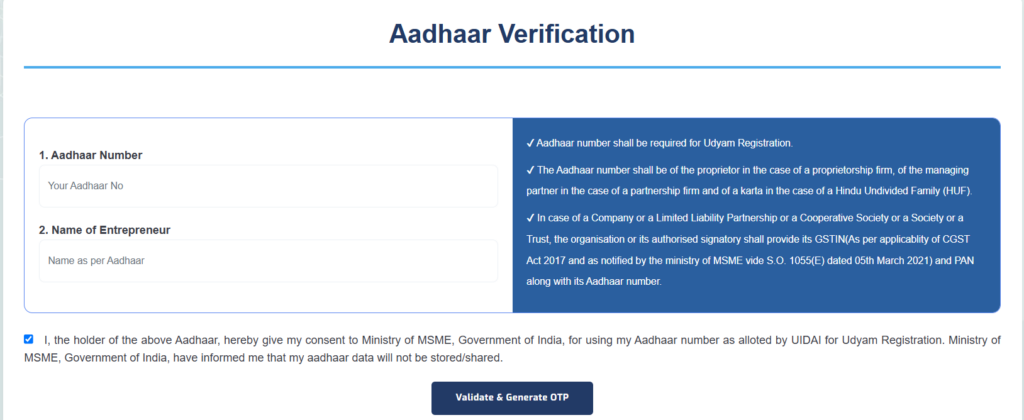
Step 4: Verify Using OTP
An OTP will be sent to the registered mobile number linked with Aadhaar.
Step 5: Enter PAN Details
Provide PAN information for the enterprise.
Step 6: Fill Business Information
Enter:
- Business name
- Organization type
- Business address
- Bank details
- Business activities
- Number of employees
Step 7: Submit Application
After successful verification, the application is submitted electronically.
Once approved, the enterprise receives its unique Udyam Registration Number and downloadable certificate.
What is the Udyam Registration Number?
The Udyam Registration Number (URN) is a permanent identification number allotted to every registered MSME. It works as the official identity of your enterprise and is required while:
- Applying for MSME loans
- Participating in government tenders
- Claiming subsidies
- Downloading certificates
- Updating registration details
- Certificate verification
The registration number remains valid permanently unless the registration is cancelled.
Forgot Udyam Registration Number? Here’s How to Recover It
If you forgot the Udyam Registration Number (URN), so you don’t have worry about it. You can simply recover it with some basic steps-
Method 1: Recover Through the Udyam Portal
Visit the official portal and select the option to retrieve your registration number.
Enter:
- Aadhaar Number
- Registered Mobile Number
- OTP Verification
The portal displays your registered Udyam Registration Number.
Method 2: Check Registered Email
The registration number is usually included in the confirmation email sent after successful registration.
Method 3: Check Downloaded Certificate
If you previously downloaded the certificate, the Udyam Registration Number appears at the top of the certificate.
How to Find Udyam Registration Number?
If you are wondering how to find the Udyam registration number, you can retrieve it using:
- Aadhaar verification
- Registered mobile number
- Registered email ID
- Previously downloaded certificate
- Official Udyam Portal recovery option
The portal allows genuine applicants to recover the registration without visiting any government office.
How to Get Udyam Registration Number?
If you have not yet registered your enterprise, you must first complete the online registration process.
After successful Aadhaar and PAN verification, the government automatically generates the Udyam Registration Number.
There is no separate application required to obtain it.
How to Verify Udyam Registration?
Many banks, buyers, suppliers, and government departments ask businesses to verify Udyam registration before offering benefits or processing applications.
The verification process confirms that the MSME registration is genuine and active.
Steps to Verify Udyam Registration
- Visit the official Udyam Registration Portal.
- Open the Verify Udyam Registration section.
- Enter the Udyam Registration Number.
- Complete the verification process.
- View the registration status.
This process helps businesses, financial institutions, and procurement agencies perform MSME Udyam verify checks before entering into business transactions.
Udyam Registration Certificate Verification
The Udyam Registration Certificate Verification feature allows users to authenticate the validity of an MSME certificate.
Certificate verification helps confirm:
- Registration authenticity
- Enterprise details
- Registration status
- Business name
- Udyam Registration Number
- Enterprise classification
Many government departments require Udyam Registration Certificate Verification before approving subsidies, tender participation, or financial assistance.
What is the MSME Udyam Certificate?
After successful registration, businesses receive a digital MSME Udyam Certificate.
The certificate generally contains:
- Enterprise Name
- Udyam Registration Number
- Date of Registration
- Type of Organization
- Business Classification
- Major Activities
- QR Code for verification
The certificate is issued electronically and does not require a physical signature.
How to Download Udyam Registration Certificate?
If you need a copy of your certificate, the portal allows businesses to download it anytime.
Steps to Download the Certificate
- Visit the official Udyam Portal.
- Open the Print or Download Certificate section.
- Enter the Udyam Registration Number.
- Verify using the registered mobile number.
- Complete OTP authentication.
- Download the certificate in PDF format.
This is the easiest method for anyone searching how to download Udyam registration certificate.
Udyam Portal Login Process
Businesses can use the Udyam Portal for various services after registration.
These services include:
- Updating business details
- Downloading certificates
- Recovering registration number
- Printing registration certificate
- Verifying registration
- Updating mobile number or email
- Checking registration status
The login process generally requires the registered Udyam Registration Number and OTP verification.
Can You Update Udyam Registration Details?
Yes. Registered enterprises can update several details whenever necessary. Common updates include:
- Business address
- Contact information
- Bank account details
- Business activities
- Employee count
- Investment and turnover details
Keeping the information updated helps avoid issues while applying for MSME schemes or participating in government procurement.
Common Reasons Why Udyam Verification Fails
Sometimes users may experience issues during Udyam registration or certificate verification.
The most common reasons include:
- Incorrect Udyam Registration Number
- Typing errors in Aadhaar details
- OTP verification failure
- Recently updated records not yet synchronized
- Temporary portal maintenance
- Mismatch between Aadhaar and PAN records
Before trying again, verify that all entered information is correct and matches your registered details.
Frequently Asked Questions (FAQs)
Q. Is Udyam Registration free?
Ans. Yes. Udyam Registration on the official government portal is completely free.
Q. Is Udyam Registration mandatory?
Ans. No. However, businesses seeking MSME benefits, subsidies, and government incentives should register.
Q. Can I register without GST?
Ans. Yes, depending on your business category and GST applicability. The portal automatically validates applicable records.
Q. How can I verify Udyam Registration?
Ans. You can use the Verify Udyam Registration option available on the official Udyam Portal by entering your Udyam Registration Number.
Q. I forgot my Udyam Registration Number. What should I do?
Ans. Use the registration number recovery option on the portal with your Aadhaar number and registered mobile number.
Q. How do I download my MSME Udyam Certificate?
Ans. Visit the official portal, verify your identity through OTP, and download the certificate in PDF format.
Q. Is the Udyam Certificate valid for life?
Ans. Yes. The certificate generally remains valid permanently unless the registration is cancelled or modified under applicable government rules.
Q. Can I update my Udyam Registration later?
Ans. Yes. Registered businesses can update various enterprise details through the Udyam Portal whenever required.
Final Words
Every MSME business or startup should register with the MSME Udyam Registration system to achieve the most benefits for various purposes. Keeping your registration active and your details updated not only strengthens your business credibility but also helps you take full advantage. In this guide, we have covered everything that helps you throughout the process in public procurement, obtaining and maintaining a valid Udyam Registration. At Tendershark, we bring such an informative guide to you. So, stay connected with us!